Controller-managed
Enroll agentdesktop devices with a controller, distribute managed AI tool configuration, and issue short-lived inference gateway credentials.
In managed mode, the daemon enrolls with the agentdesktop controller and receives desired configuration from it. The controller provides a fleet management UI, stores inventory and selected telemetry, and can issue short-lived JWTs for an inference gateway such as agentgateway.
This local quickstart runs all components on one machine. In production, the controller and inference gateway normally run remotely. Follow Production deployment for platform-neutral guidance or Deploy on Google Cloud for the complete GKE, Entra, Intune, and pilot-enrollment walkthrough.
What you will run
| Component | Address | Purpose |
|---|---|---|
| Dex | 127.0.0.1:5556 | Local OIDC provider for enrollment |
| Controller fleet API | 127.0.0.1:8443 | Device enrollment, configuration, and telemetry |
| Controller UI | 127.0.0.1:8080 | Fleet inventory and configuration status |
| agentgateway | 127.0.0.1:4000 | Authenticated model traffic |
| Device daemon | Local socket | Tool discovery, configuration, and credentials |
Prerequisites
- Docker with Compose.
- Bash, OpenSSL, and curl.
- Claude Code and an Anthropic API key.
- A local clone of the agentdesktop repository.
agentdesktopandagentdesktop-controlleronPATH. Follow Build and install if needed.
Run every command below from the repository root. The controller and device daemon remain in the foreground, so use a separate terminal for each.
1. Generate development keys
Generate the controller TLS certificate, device CA, and gateway JWT signing key required by examples/claude/controller.yaml:
./examples/claude/create-keys.sh
The script writes five files under /tmp/agentdesktop-keys: the controller certificate and private key, the device CA certificate and private key, and the gateway JWT signing key. It refuses to run if any of those files already exist; remove the directory to generate a new set. These keys are only for local development.
2. Start Dex
docker compose -f examples/claude/compose.yaml up -d dex
Confirm that its OIDC metadata is available:
curl --fail --silent \
  --retry 10 --retry-all-errors --retry-delay 1 \
  http://127.0.0.1:5556/dex/.well-known/openid-configuration \
  > /dev/null && echo "Dex is ready"
3. Start the controller
In a new terminal, run:
agentdesktop-controller --config examples/claude/controller.yaml
The controller reports its fleet listener on 0.0.0.0:8443 and its admin UI on 127.0.0.1:8080. Devices in this local scenario connect to the fleet API through https://127.0.0.1:8443. Leave the controller running. In another terminal, verify the admin API:
curl --fail http://127.0.0.1:8080/api/v1/settings
{"fleet_listen":"0.0.0.0:8443","admin_listen":"127.0.0.1:8080","oidc_enabled":true,"tls_enabled":true,"gateway_jwt_enabled":true}
The controller binary serves its embedded UI at http://127.0.0.1:8080. You do not need to start the controller frontend separately.
4. Start agentgateway
On Docker Desktop, enable host networking before continuing. In current versions, the setting is under Settings > Resources > Network. Linux supports host networking directly. Agentgateway uses host networking to fetch the controller’s public JWKS from 127.0.0.1:8080.
Set your upstream Anthropic credential in the shell that starts Compose:
export ANTHROPIC_API_KEY=sk-ant-...
test -n "${ANTHROPIC_API_KEY:-}"
docker compose -f examples/claude/compose.yaml up -d agentgateway
Confirm that the gateway is listening:
docker compose -f examples/claude/compose.yaml ps agentgateway
curl --fail --head --silent http://127.0.0.1:4000/ \
  > /dev/null && echo "agentgateway is ready"
The HEAD / reachability route is defined by the example’s agentgateway.yaml.
5. Start and enroll the device daemon
Stop any other agentdesktop daemon before continuing. The checked-in managed configuration includes system-managed Claude Desktop settings, so this example runs the daemon with elevated privileges:
sudo "$(command -v agentdesktop)" daemon \
  --config examples/claude/agentdesktop.yaml
Leave the daemon running. Its browser flow uses the checked-in Dex account:
- Email:
admin@example.com - Password:
password
The daemon creates its private device key locally, submits a certificate signing request after OIDC login, and receives a client certificate from the controller. The private key never leaves the device.
6. Verify the managed device
In another terminal, query the local daemon:
agentdesktop status
agentdesktop config
agentdesktop discover
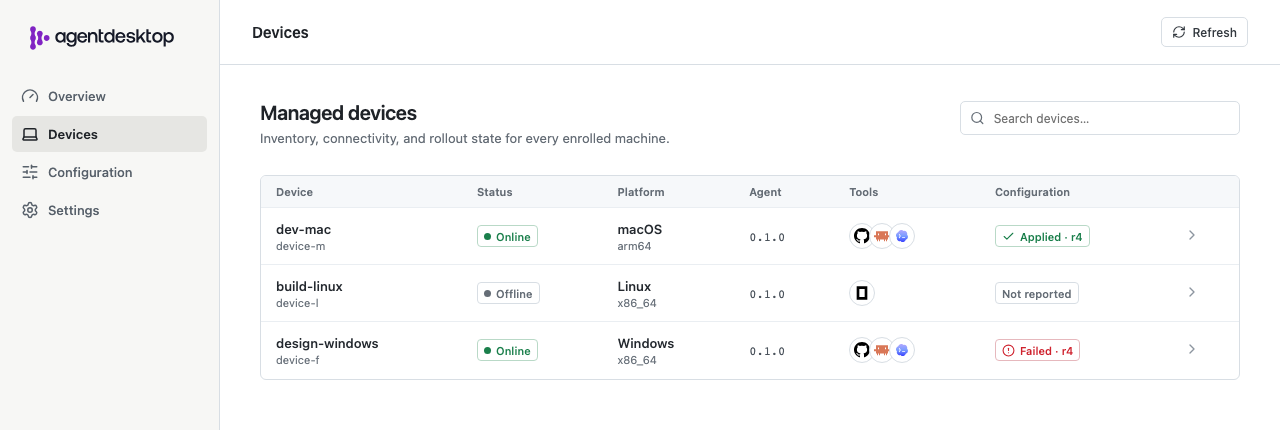
Refresh the controller UI. The Devices page shows each enrolled device’s connectivity, discovered tools, and latest configuration result.
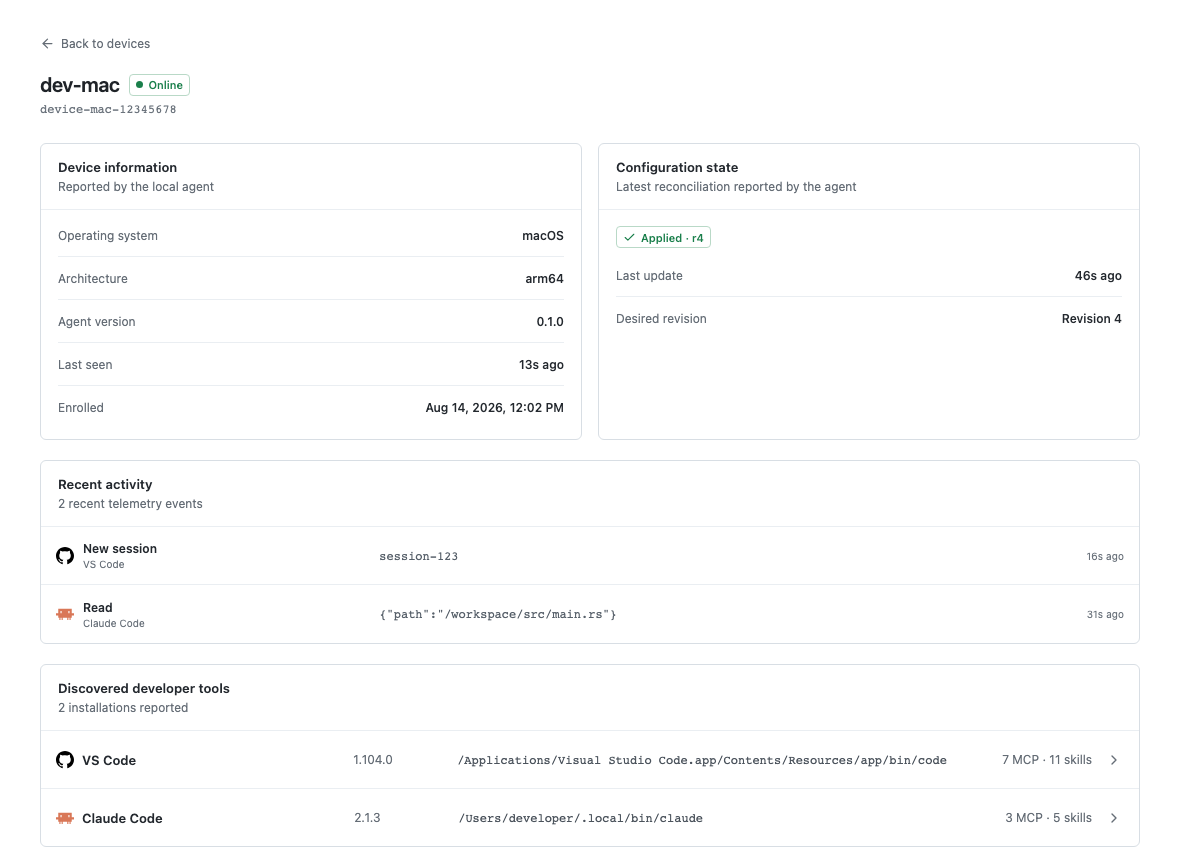
Open the enrolled device to inspect its identity, applied configuration revision, recent activity, and discovered developer tools.
The optional desktop UI shows the same local daemon state:
agentdesktop
Run claude normally to test model traffic. Claude Code shows the Managed by agentdesktop announcement and obtains a short-lived gateway JWT through the daemon. agentgateway validates that JWT before forwarding the request to Anthropic.
Stop the local scenario
Stop the foreground daemon and controller with Ctrl-C. Then stop Dex and agentgateway:
docker compose -f examples/claude/compose.yaml down
The controller database and generated keys remain under /tmp, so stopping Compose does not reset the scenario. The daemon’s identity metadata remains under /var/lib/agentdesktop. On Linux, its secrets are stored as owner-only files beneath that directory; macOS and Windows use the operating system credential store.
For a cluster deployment, follow the Kubernetes controller example. It installs the controller Helm chart with development Dex and PostgreSQL dependencies and configures Agentgateway separately.